Sharing and promoting mixtapes online
Art direction, UI/UX, Graphic Design
SERVICES
UI/UX
Art Direction
LiveMixTapes is an online community and platform with the goal of sharing rap and hip-hop mixtapes. It was created with the intention of providing independent artists a way to share, release and promote their music.
Challenge
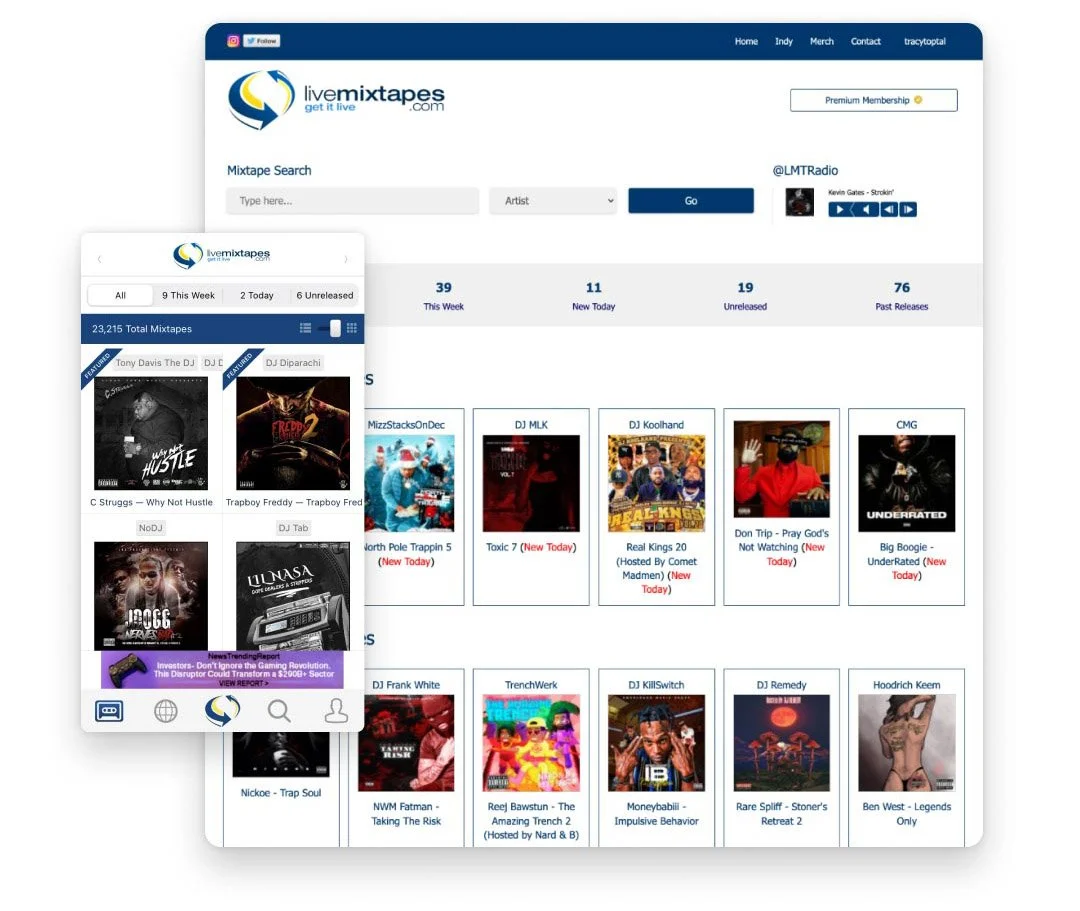
LiveMixTapes is well-loved by its community of creators and listeners, but the website and app had been built more than a decade previously and was in need of a redesign. The brand did not have much branding presence besides a logo.
Solution
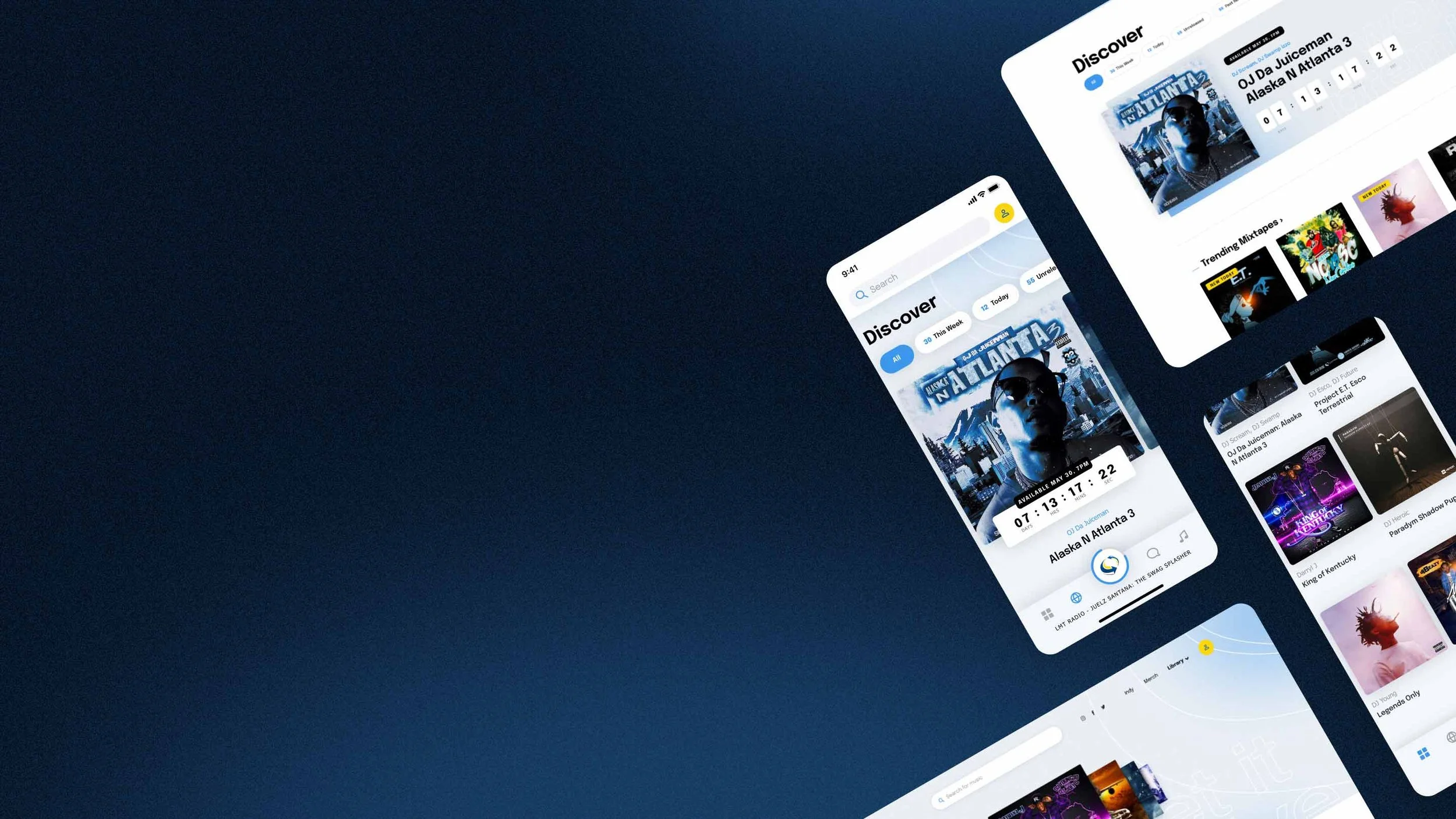
I provided a refreshed and redesign of the mobile app and website with updated art direction. I worked with the development team in providing design solutions that could work within current limitations but could be scaled upwards for future features.
Process
On a discovery call, I discussed the problem and goals for the existing app, as well as desired features for the future. We discussed usability problems with the current app and website, and discrepancies between the two products. The most important aspect of this conversation was to outline our goals for the project and ensure we were on the same page.
The next step was to test the app and website and define what was and wasn’t working well. This included discussion with the client to find areas of the app that could break, or were confusing. As well, I researched other music apps to analyze how LiveMixTapes may compare to competition in their industry.
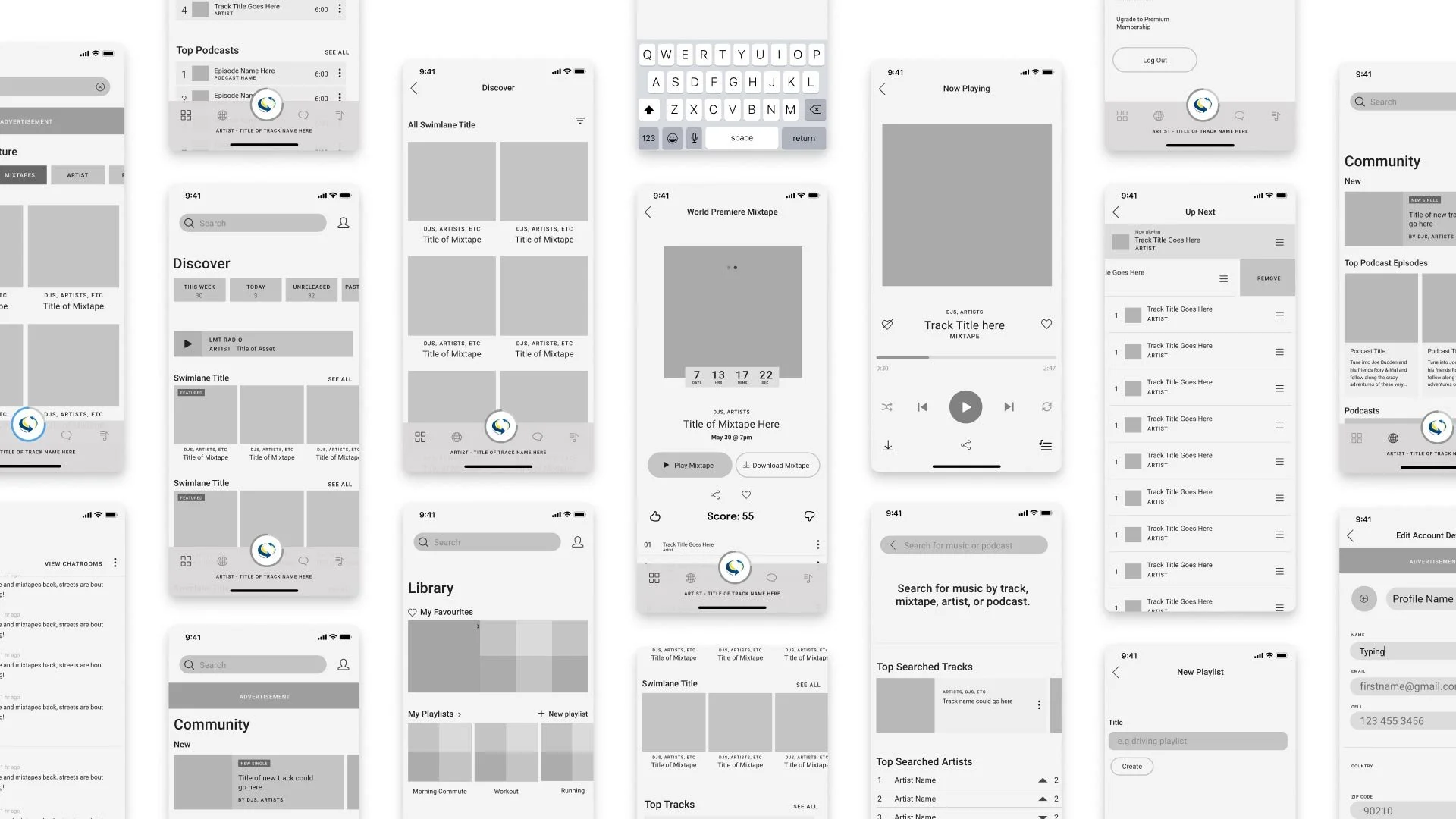
I created an outline for the duration of the design phase to define what problems needed to be tackled first. Solutions for problematic areas were sketched out roughly, and eventually integrated into wireframes. Low-fidelity wireframes for an MVP app were created and made into a prototype for testing.
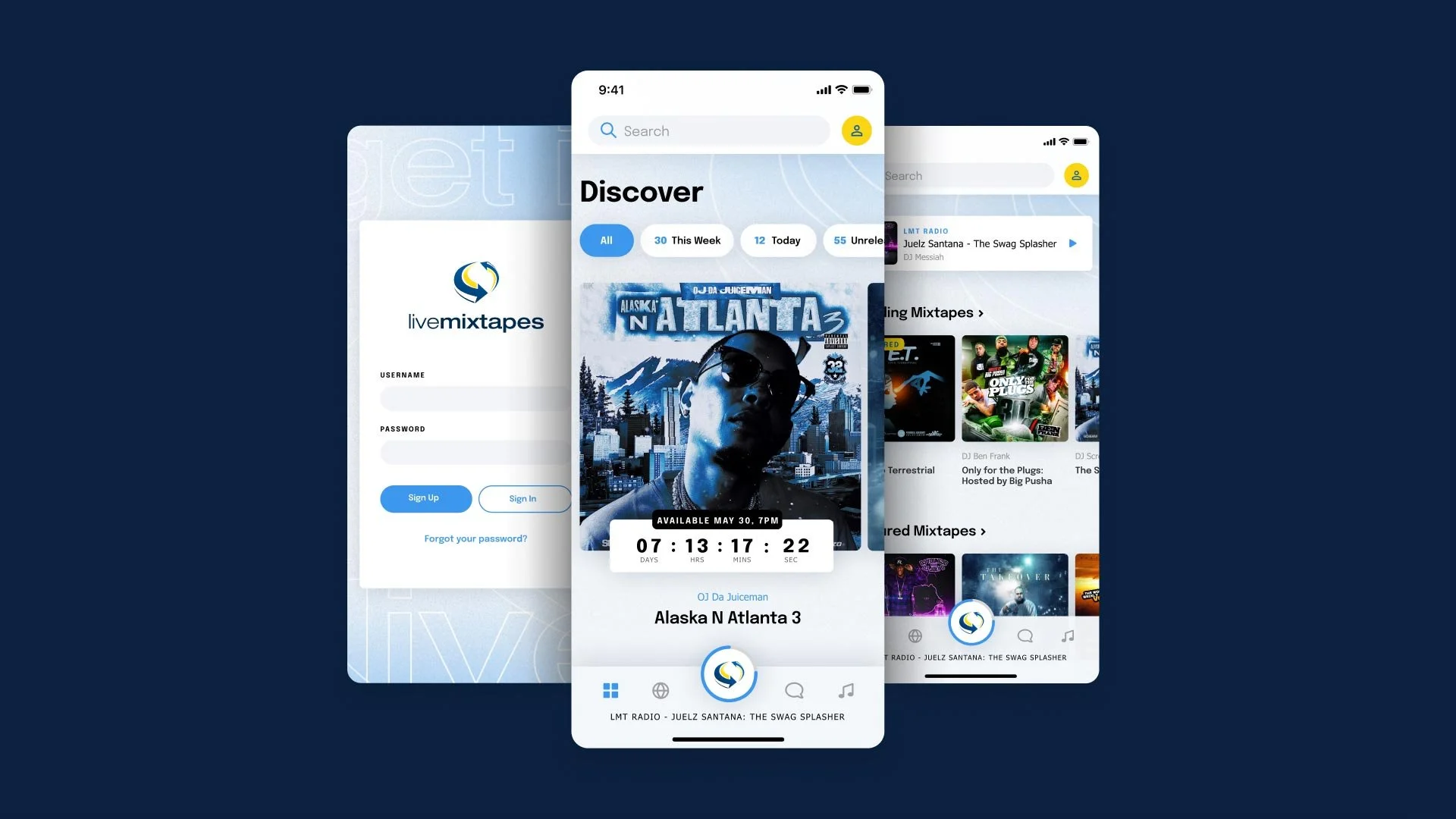
I proposed using a simplified version of the LiveMixTapes logo to keep it as legible and simple as possible. I tweaked the brand colours and proposed a more modernized approach to using its brand elements in a way that was clean and elegant, and could showcase its artists as much as possible without competing with its musician’s cover artwork.
Landers
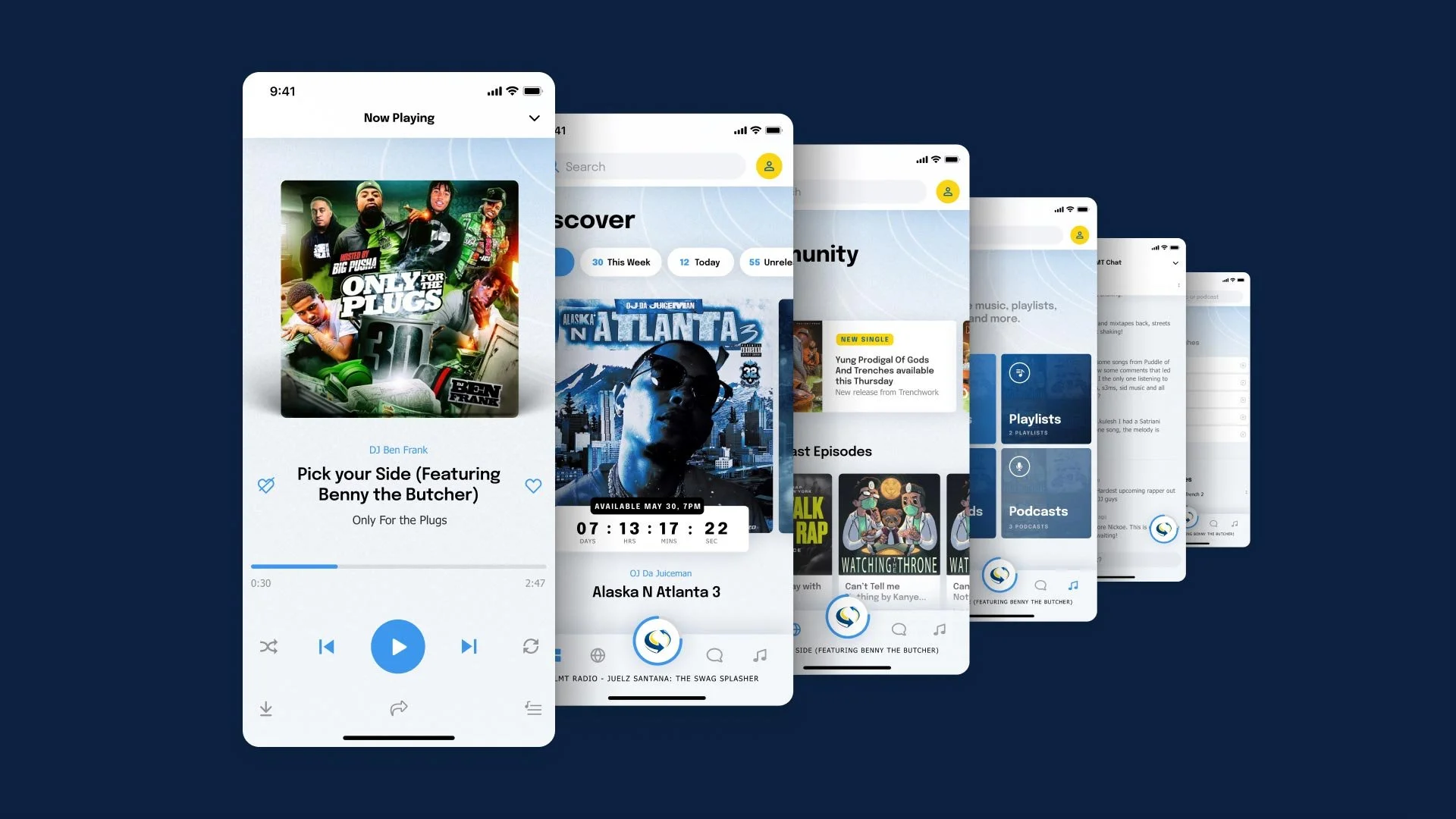
After logging into the app, the user arrives at the Discover lander. Here they can view all mixtapes, view showcased world premiere mixtapes, access LMT radio, and view stats such as the top artist searches.
Viewing a mixtape
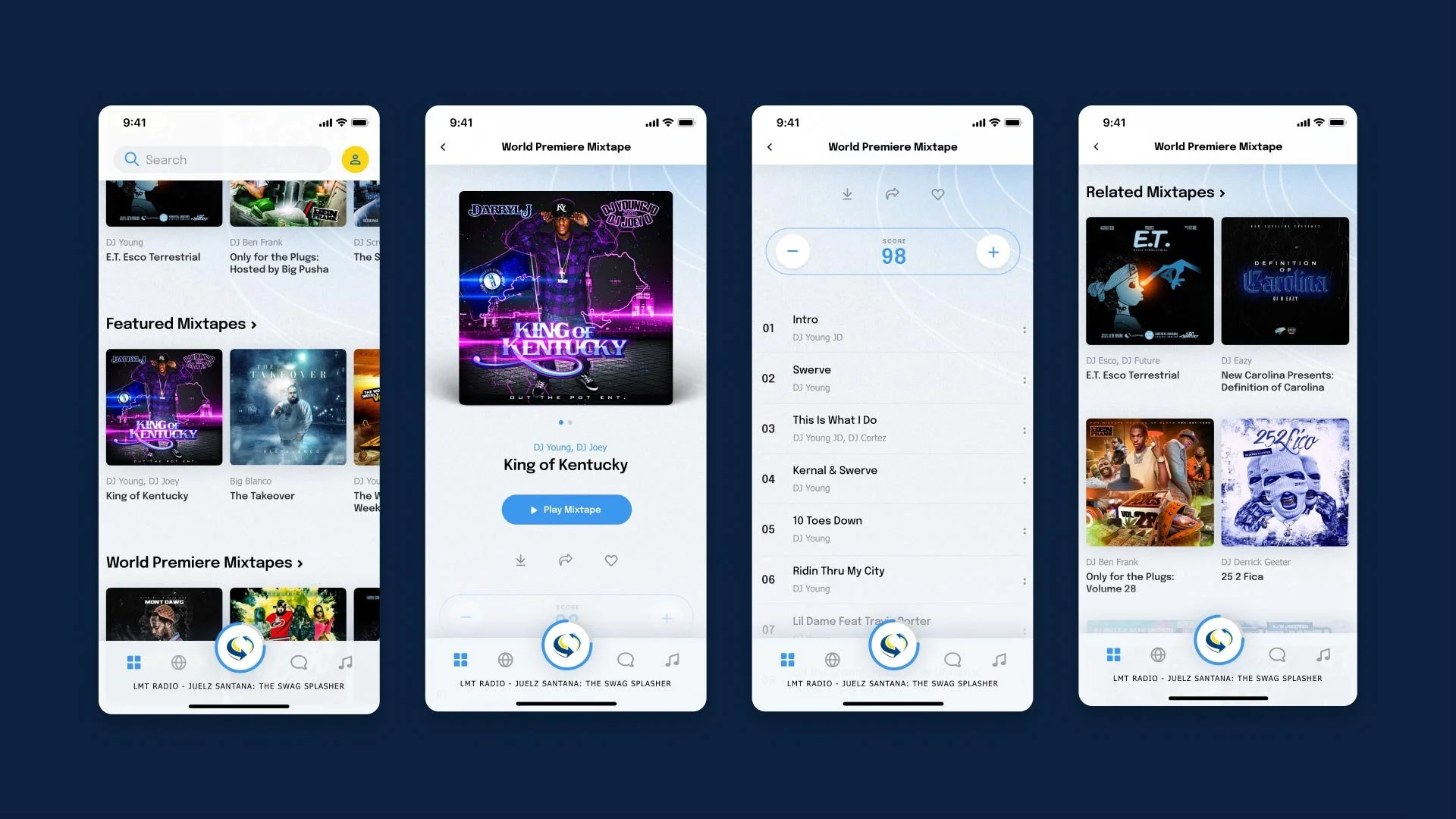
When a user selects a mixtape asset, they land on a product display page for that mixtape. Here, they can choose to play the music, look at song information, score the mixtape, download, share or add to their library, and find similar mixtapes.
Now Playing
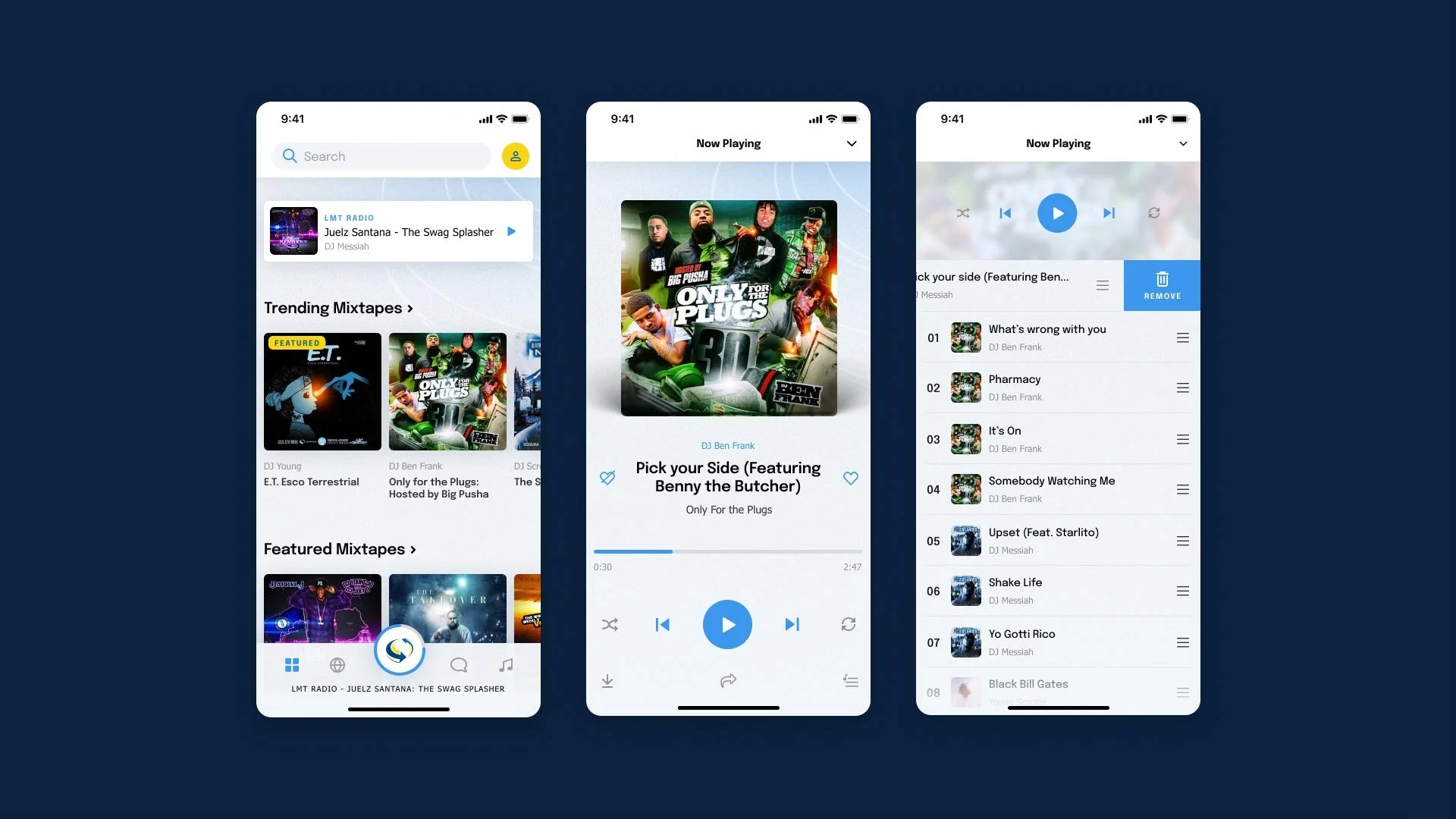
At the centre of the main navigation is the Now Playing button, with the LMT icon at the centre. When music is playing, progress is shown as a blue line around the button, and the song title and artist scrolls horizontally beneath it. At any time, selecting this button reveals the Now Playing screen, with controls. From here, the user can select the Queue icon and view or edit upcoming music.
More actions
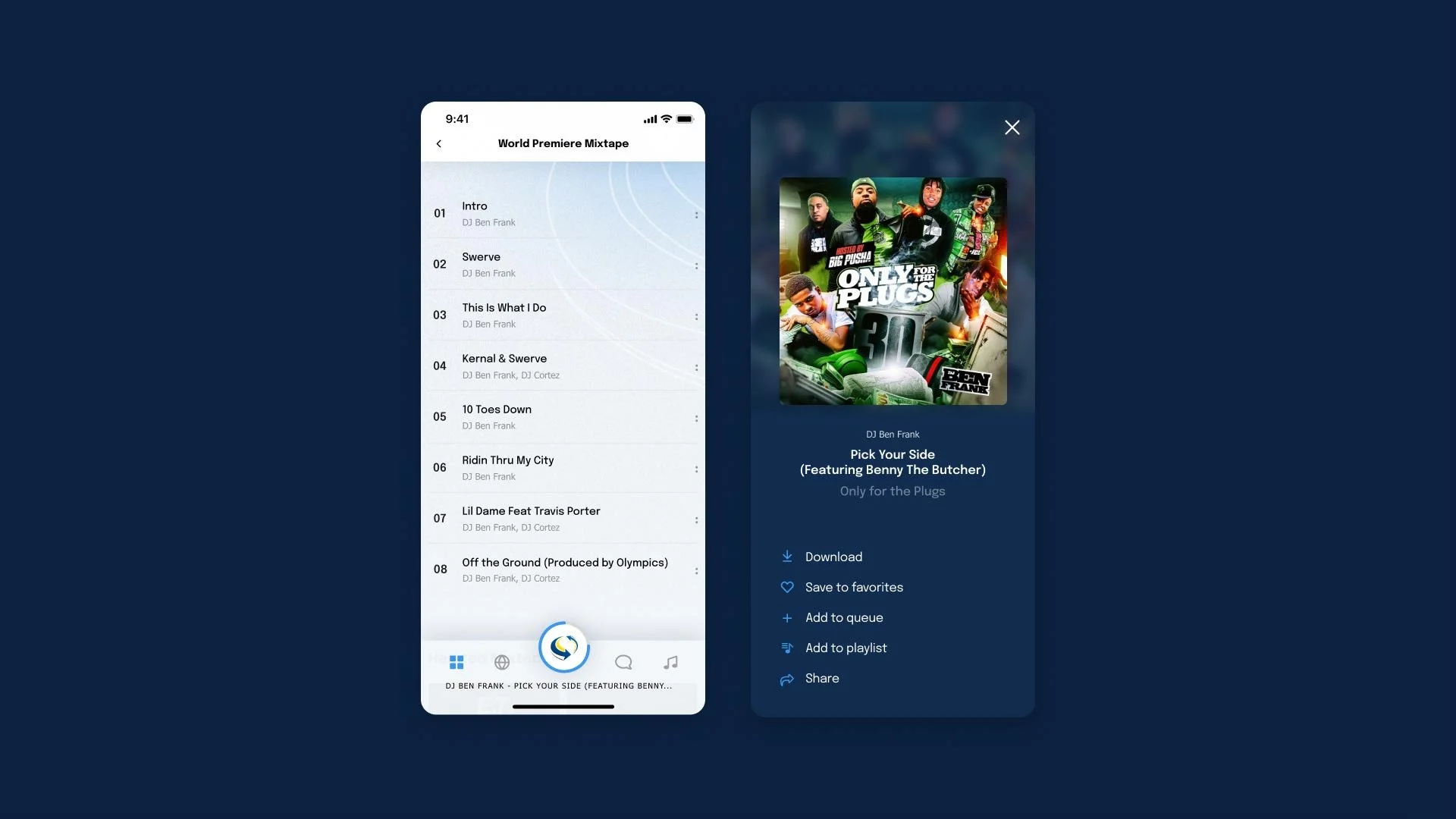
Selecting on the dot icons at the right of each asset opens a menu overlay, where users can choose to download, bookmark music (which adds it to their library), add a song to their queue, add a song to a playlist, or share the asset on social media.
Creating a playlist
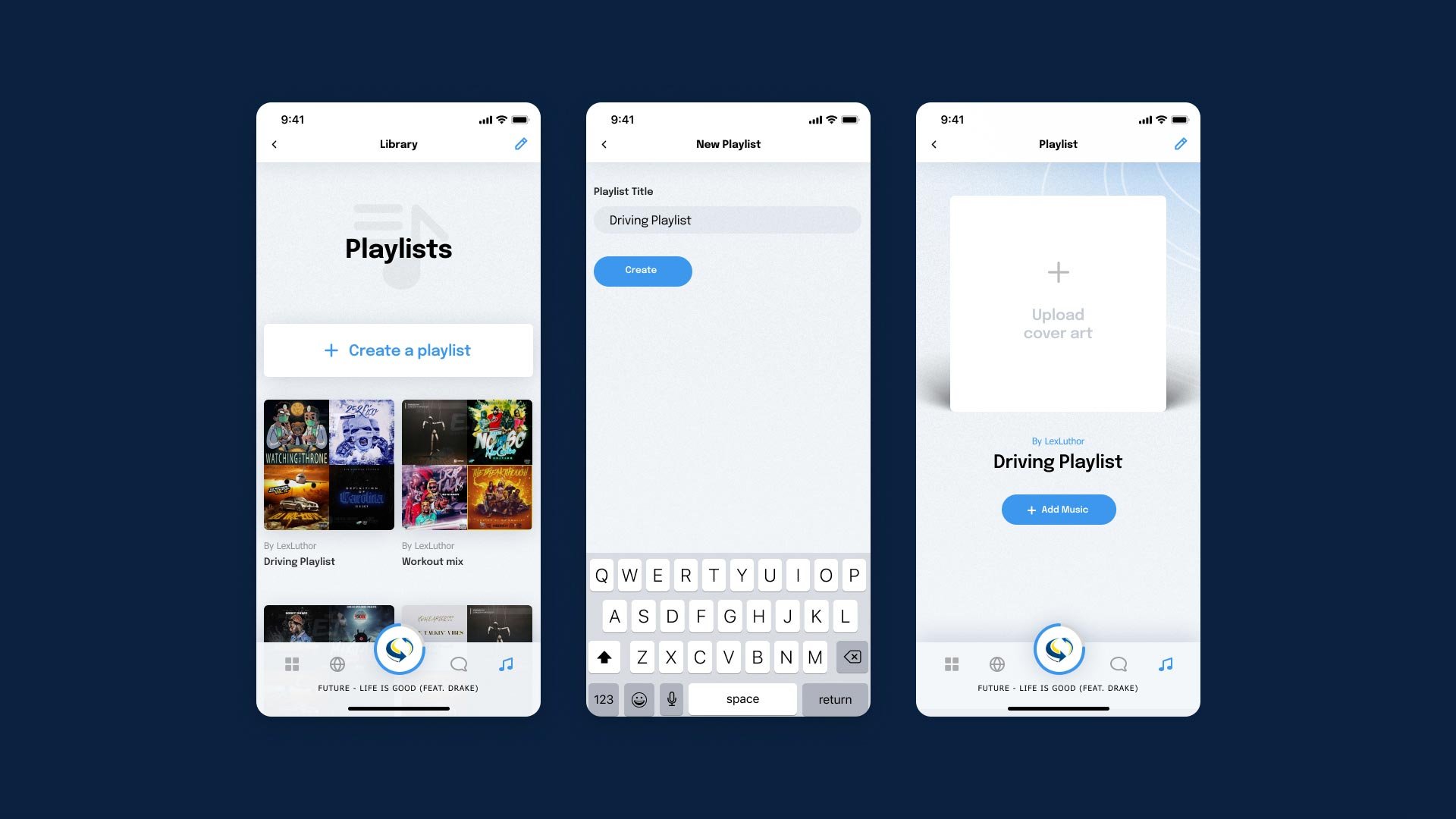
Users can create new playlists from the Library tab. When a new playlist is created, users are prompted to provide the required basic information like a title, and an option to upload cover art. Once a playlist is created, music and more details can be added.
Adding music
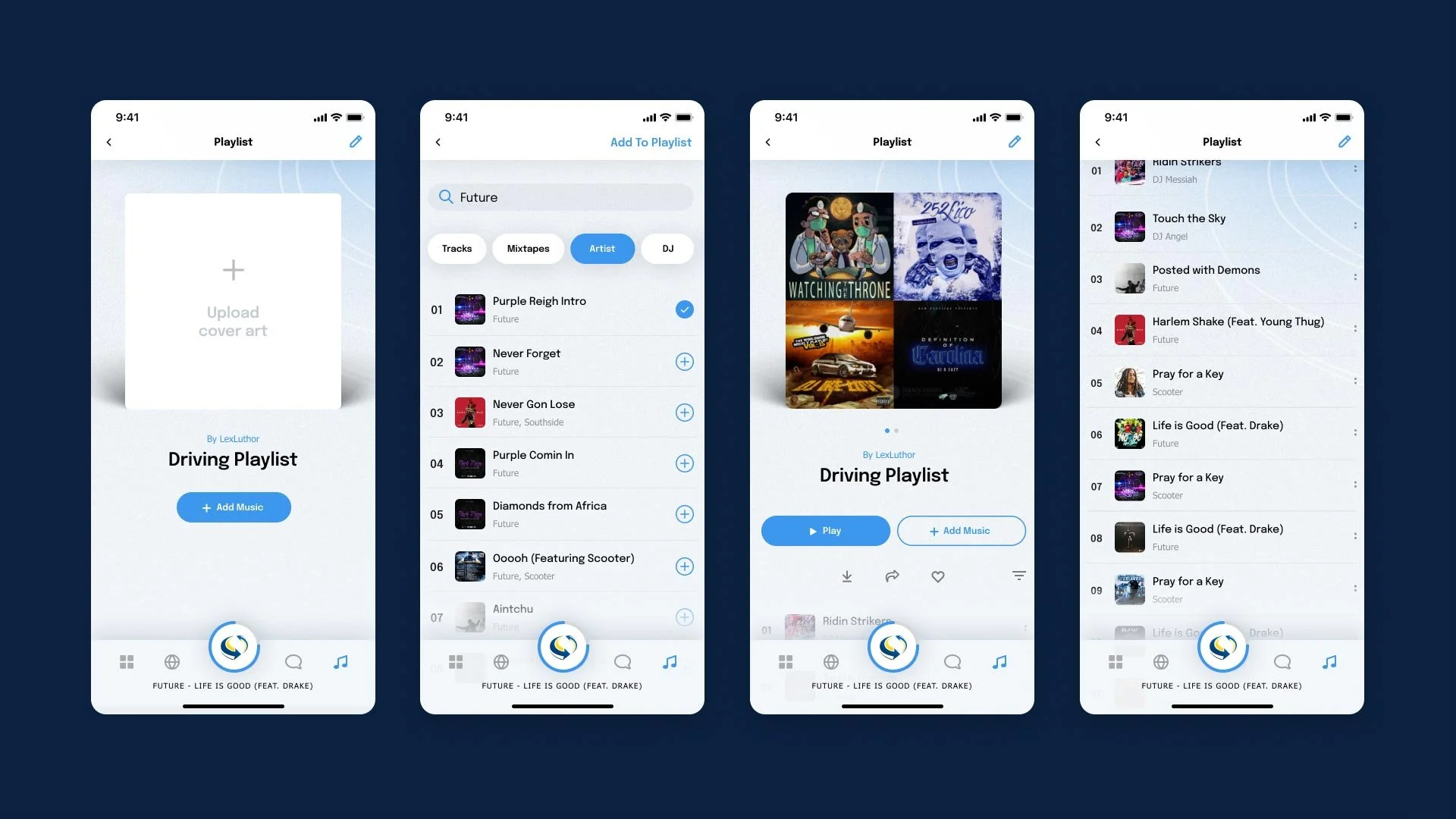
Selecting the Add Music button opens up the ability to search for songs to add. Users can filter basic search results by track, mixtape, artist or DJ. Selecting the plus icons and hitting the Add to Playlist button will add the selected songs.
Edit a playlist
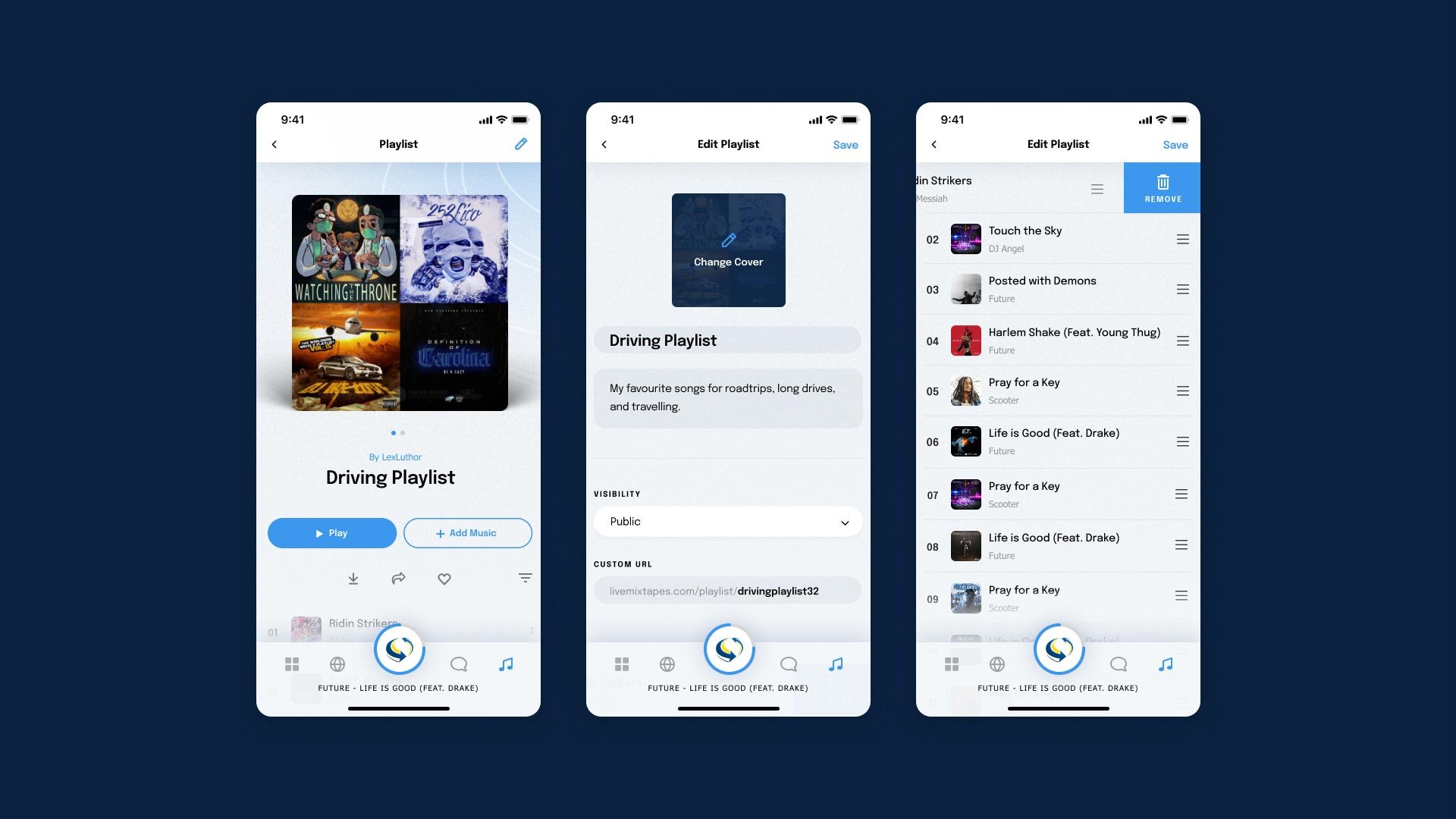
Selecting the Edit icon at the top righthand corner provides options to edit the playlist details, such as description, title, music, and cover art. Here they can also choose to make the playlist public.
Website
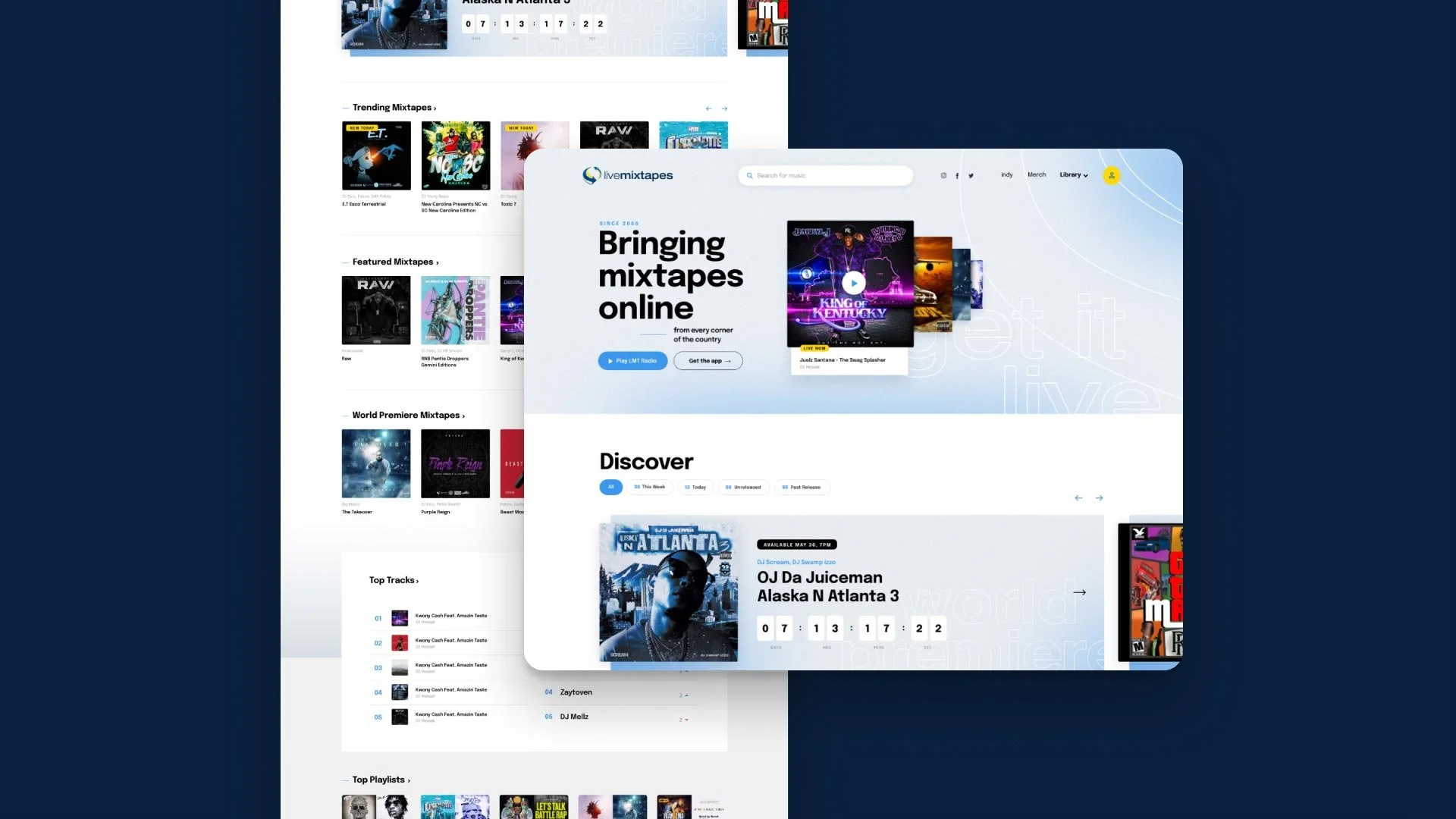
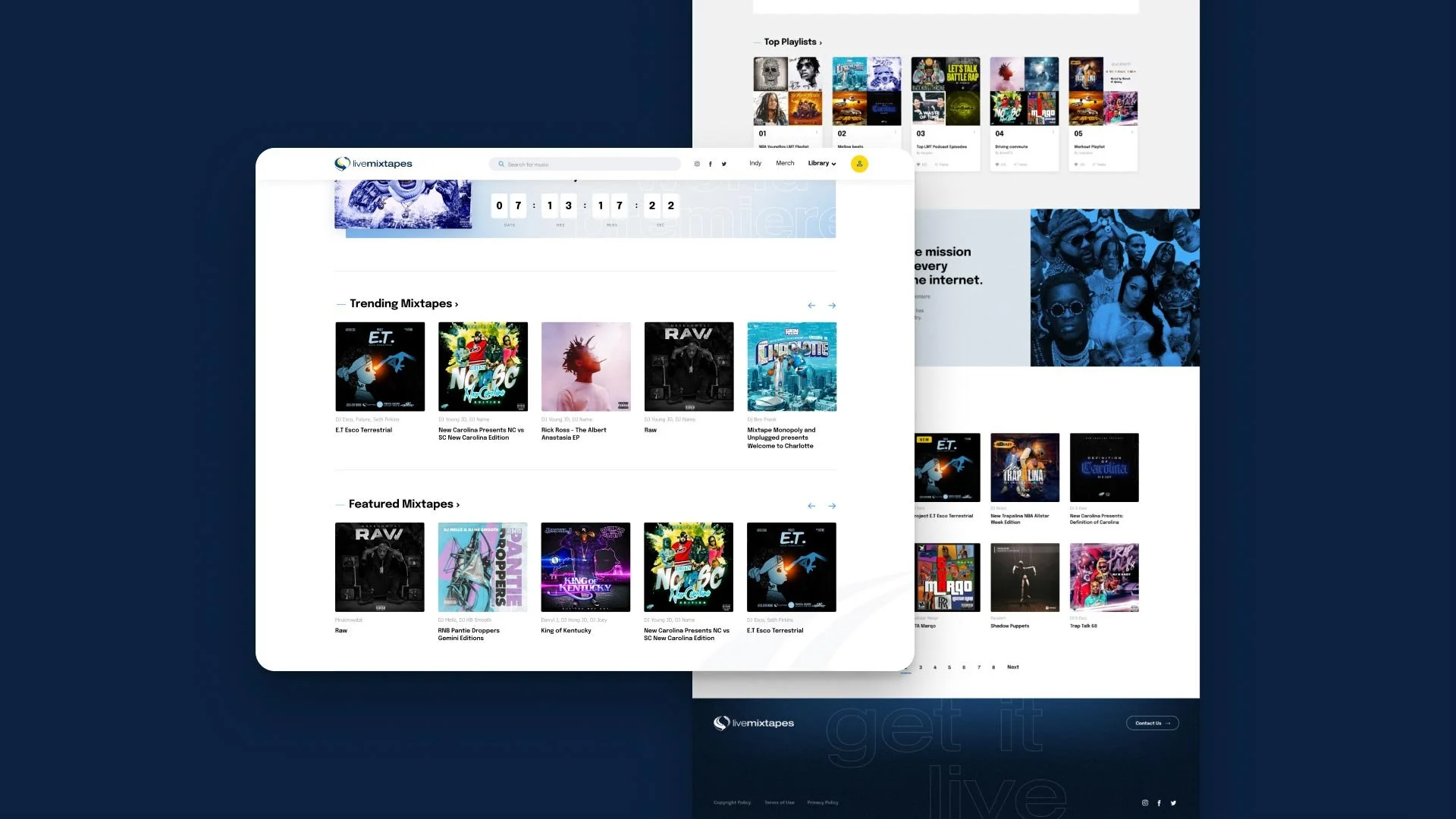
As well as revamping the LMT mobile app, I provided a redesign for the website as well, in keeping with the refreshed look and feel. The goal was to provide a modern and clean design for a site that would be satisfying to navigate and use, while highlighting the mixtape covers art and the music.
Results
The new LiveMixTapes app and website are currently in development, but initial feedback has been very positive.